MA Technologies

Smart Business Software & AI Tools

Custom Business Software & AI Tools in Sri Lanka

Reduce repetitive work with software designed around your business processes. MA Technologies helps identify workflows that can be simplified through custom applications, automation, and carefully selected AI tools, connecting information and actions that currently rely on manual steps.

We start by understanding the work itself, then recommend the simplest approach that solves the problem: sometimes a small custom application, sometimes a connection between tools you already use, and sometimes an AI-assisted step with a person reviewing the result.

Common challenges

Signs a workflow is ready to be simplified

  1. The same data is typed more than once

    Details move from emails to spreadsheets to invoices by hand, creating delays and mistakes.

  2. Approvals depend on chasing people

    Requests sit in inboxes and chat threads, and nobody can see what is waiting or why.

  3. Reports take days to prepare

    Managers wait for someone to combine spreadsheets before they can see what is happening.

  4. Staff answer the same questions repeatedly

    Customers and colleagues ask for the same information, taking time away from more valuable work.

What we can include

What a software or automation project can include

We scope each project around the workflows that matter most. Depending on what we agree, the work can cover:

Automate: Simplify operations
  • Workflow discovery

    Mapping how work moves today, where time is lost, and which steps are worth automating.

  • Custom dashboards

    A clear view of the figures and tasks that matter, drawn from the systems you already use.

  • Approval flows

    Structured requests, approvals, and notifications, with a record of who approved what and when.

  • Reporting

    Automated reports that replace manual spreadsheet consolidation.

  • Document handling

    Generating, organising, and storing quotes, invoices, and other documents consistently.

  • Integration feasibility

    Checking whether your existing tools can exchange data, and connecting them where practical.

  • AI-assisted tools

    Carefully scoped tools, such as drafting replies to common enquiries or searching internal knowledge, with human review.

  • Running costs and oversight

    Clear estimates of hosting and AI usage costs, plus who reviews and maintains the system.

Proof of work

Projects we have delivered

See more of our work
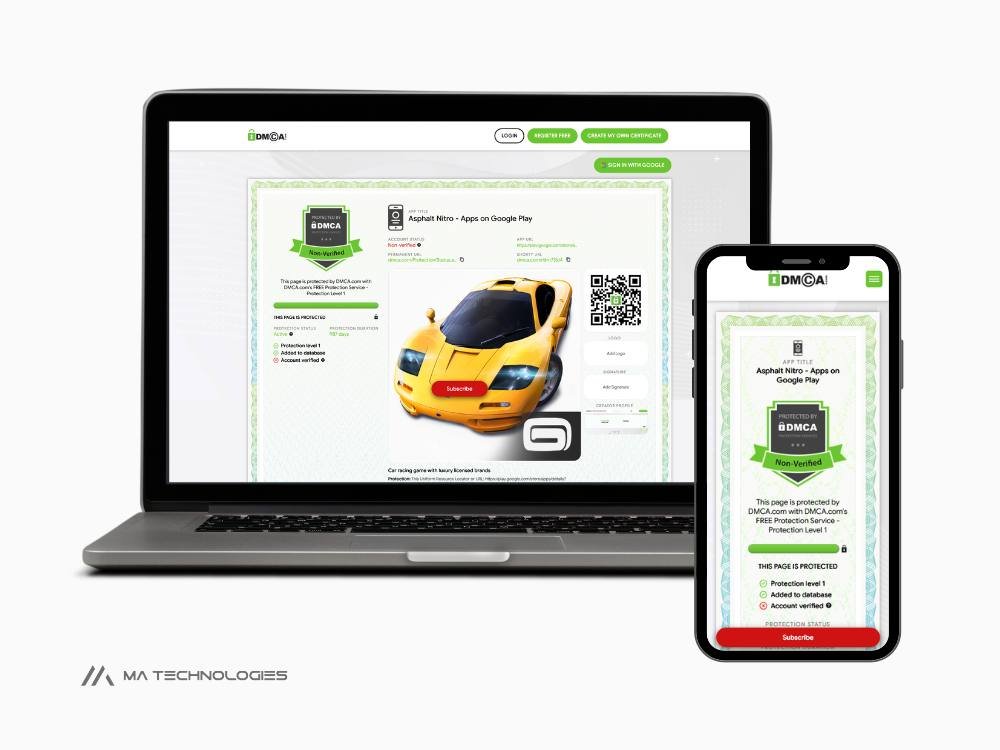
Copyright protection certificate pages shown on a laptop and a phone

5+ years on Azure, with billing and social APIs

Copyright Protection SaaS

A US software-as-a-service platform that protects creators’ content online, developed and supported over more than five years on Microsoft Azure, with billing and social media integrations.

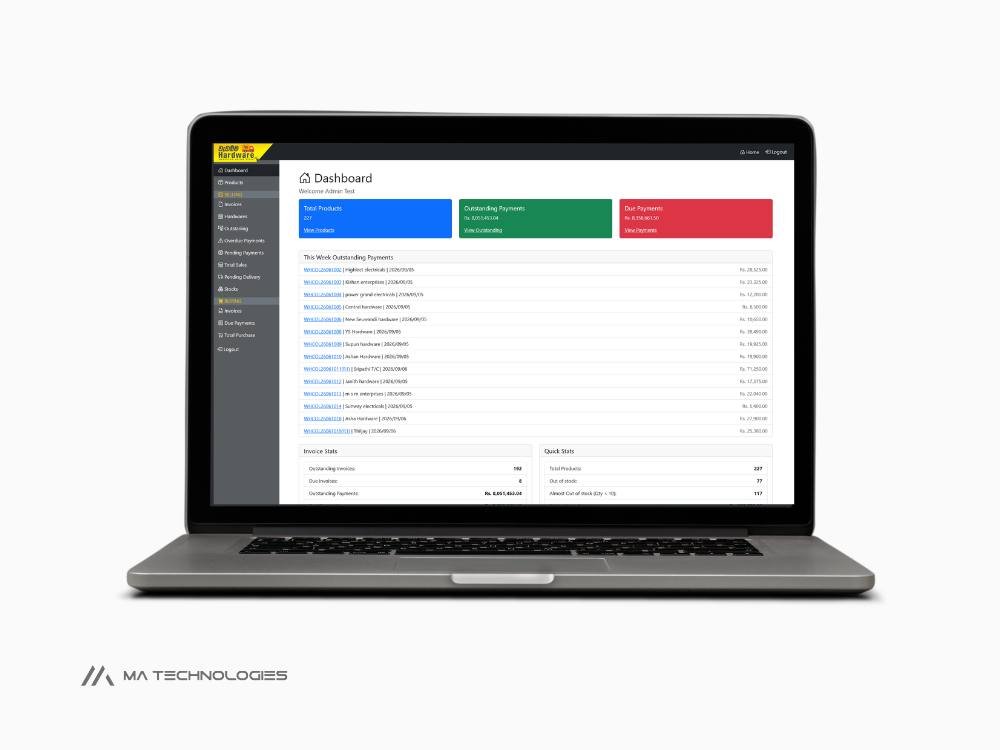
Distribution management dashboard on a laptop showing outstanding payments and stock statistics

Week-long deliveries brought down to next day

Distribution Management App

A distribution system that tracks invoices, outstanding and due payments, pending deliveries, and stock in one place, helping the business move from week-long deliveries to next-day delivery.

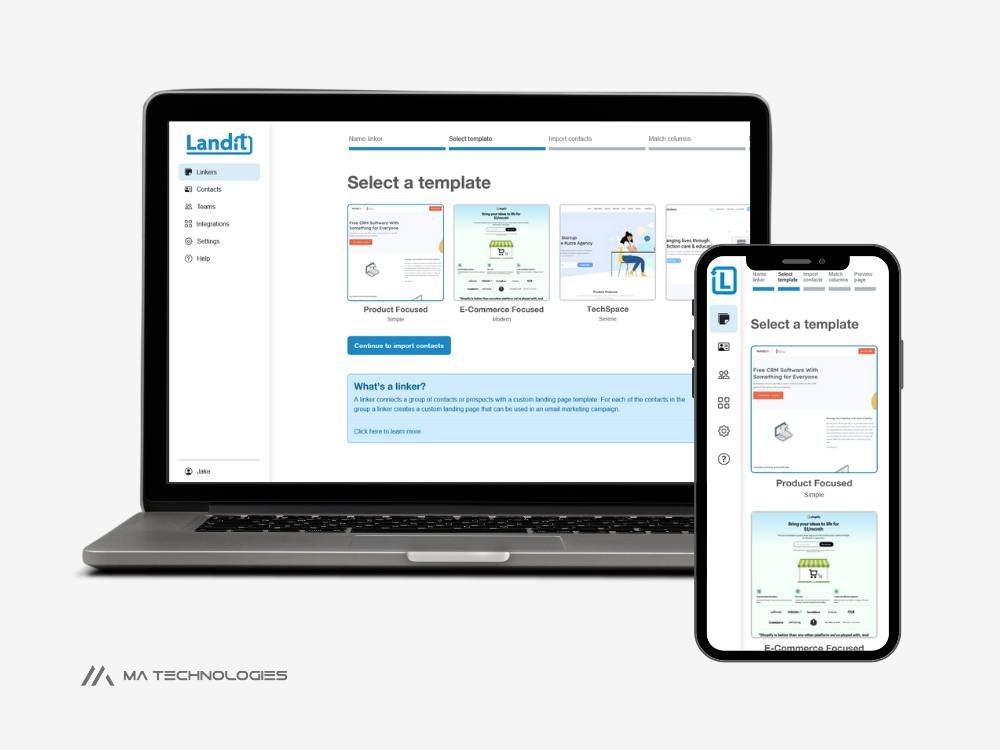
CRM SaaS dashboard on a laptop and phone showing the landing page template selection step

5 years of continuous development

CRM SaaS: Dashboard, Website & Integrations

The dashboard, marketing website, and integrations for a US CRM platform that creates personalised landing pages for every sales prospect, built and supported over five years.

Automation or AI?

Choosing the right tool for each task

Not every problem needs AI. When a task follows clear rules, such as copying data between systems, sending reminders, or calculating totals, conventional automation is usually more reliable and cheaper to run. AI is better suited to tasks involving natural language, such as drafting a first response or finding an answer in a large set of documents.

Where AI is appropriate, we plan for its limitations. We define what data the tool may access, how its output is checked, how business information is protected, and who on your team reviews the results. We also estimate recurring model and hosting costs so you can judge whether the tool is worth running. Any AI examples we discuss are proposals for your workflow, not ready-made products.

Key points

  • Rule-based automation where the rules are clear
  • AI only where it adds real value
  • Human review of AI output before it is used
  • Defined data access, privacy, and running costs

How it works

From first conversation to launch

A clear sequence of steps, so you always know what happens next and what we need from you.

  1. Step 1: Workflow discovery

    We observe how the work is done today and agree which problems to solve first.

  2. Step 2: Solution design

    We recommend an approach, define the data and integrations involved, and estimate running costs.

  3. Step 3: Build in stages

    We develop the most valuable part first so your team can use and review it early.

  4. Step 4: Testing and review

    We test with real scenarios and, for AI features, check accuracy against agreed examples.

  5. Step 5: Rollout and support

    We train users, monitor early use, and refine the tool based on feedback.

Pricing

What affects the cost

The cost of custom software depends on the agreed scope, including:

  • Number of workflows, screens, and user roles
  • Integrations with existing systems and the connections they offer
  • Data migration and cleanup
  • AI features and their recurring model usage costs
  • Hosting, security, and backup requirements
  • Ongoing support and future improvements

A quote based on your scope

We do not publish fixed prices because every project is different. After a short discovery conversation, we prepare a quote based on the scope we agree together.

Request a Quote

FAQ

Questions about Business Software & AI

Answers to the questions businesses most often ask before starting. If yours is not here, ask us directly.

Ask us a question
Do we need AI for this task?

Not always. If a task follows clear, predictable rules, conventional automation is usually more reliable and less expensive. We recommend AI only where it handles something rules cannot, such as understanding written requests, and we explain the trade-offs before you decide.

Can you connect our existing tools?

Often. Many accounting, sales, and productivity tools provide ways to exchange data. We check what each tool supports and whether a connection would be reliable before including it in the scope. Where a direct connection is not possible, we suggest practical alternatives.

How is business data protected?

We agree what data each tool can access and limit it to what is needed. We use secure hosting, access controls, and backups, and we review the data-handling terms of any external AI or cloud service before business information is sent to it.

What happens when AI output is incorrect?

AI can make mistakes, so we design for it. Important outputs are reviewed by a person before they are sent or acted on, the tool shows its sources where possible, and errors are tracked so the set-up can be improved over time.

Related services

View all eleven services
  • Automate

    ERP Systems

    Connect inventory, purchasing, sales, finance, and reporting in one shared business management system.

    Explore ERP systems
  • Build

    Mobile Apps

    Customer-facing apps and internal business tools planned around real user needs and the systems you already use.

    Explore mobile app development
  • Automate

    IT Support & Consulting

    Support and clear advice for reviewing current systems, choosing software, and planning practical next steps.

    Explore IT support and consulting

Which workflow costs your team the most time?

Describe a process that feels slower than it should be. We will suggest whether automation, software, or AI could help.

Explore Business Automation